Features 3D Spatial Use cases Reliability Specs FAQ Get License
Language / Langue
PLayer 2.1.0 Release Overview

What's new in
PLayer 2.1.0?

Discover the major updates, workflow revisions, and immersive audio features packed into version 2.1.0. Engineered for live, broadcast, and theater professionals.

Remote Workflow

The Remote Mode

Control your main PLayer instance from a secondary device or browser window. Ideal for sound booth operators, tablet management, or quick level checks on stage.

  • Bidirectional status synchronization in real time over WebSockets
  • Control play, pause, stop, page navigation, and volumes remotely
  • Clean web-interface optimized for mobile, tablet, or monitor
  • Autonomous Mode: delegate pages to a team member.
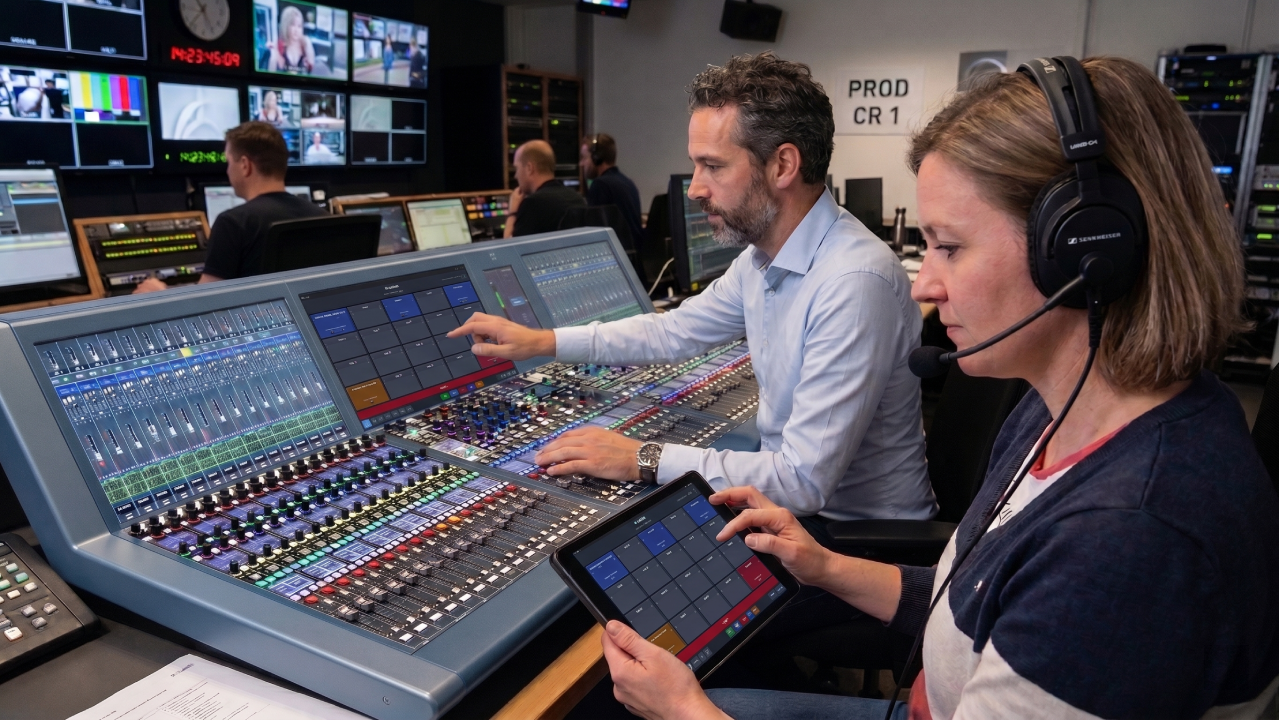
Remote Mode
HTTP GET Triggering
Integration Protocols

HTTP GET Pad Triggering

Seamlessly trigger any PAD over standard HTTP GET requests. Perfect for interfacing with professional broadcast controllers like VSM or Cerebrum, which can now easily command audio carts in real-time.

No complicated setups. Simply fire a URL query from your hardware console, and PLayer triggers the target pad instantly with zero noticeable latency.

Cues & Repeat Control

Advanced Loop System

Define repeat segments directly on the waveform editor. Perfect for creating endless soundscapes, backings, or emergency timing loops during live broadcasts.

  • Seamless repeat regions
  • Loop counter limit or infinite loop mode
  • "Exit loop" trigger to exit gracefully at the end of the active iteration
Advanced Loop System
Gang Mode
Multi-Pad Editing

The Gang Mode

Link multiple PADs together to act in a single move.

Save time by linking your PADs into a temporary group. Whenever you set the volume, routing, assigning to a play-group on a PAD, all ganged PADs instantly mirror that state.

Efficiency Improvements

Copy/Paste Pages

Speed up your pre-production phase by duplicating entire grids of PADs. Quickly clone complex pages with individual EQ, outputs, volumes, and trigger setups in seconds.

  • Duplicate all 20 pads of a page with one simple action
  • Preserve routing configurations, MIDI maps, and DSP parameters
  • Clone setups easily to rearrange layout for live performances
Page Copy/Paste
Advanced Play Next
Cue Chaining

Advanced Play Next

Seamless show continuity: automate what happens when the final cue on your page finishes. Transition to the next grid effortlessly, removing pressure from the sound booth operator.

Choose whether to automatically load the next page, arm its first pad, or auto-play the next queue with precision timing.

Immersive Audio

5 Ambisonics Orders

Render ultra-high-resolution spatial fields with native support for up to 5th Order Ambisonics (36 output channels). Achieve premium immersive mixing with absolute control.

  • Integrate directly with the new Black Magic Live for immersive streaming setup
  • Deliver high-quality binaural sound for web stream
  • Full 3D object rotation spatial simulator output
5th Order Ambisonics
Pricing

One payment. Forever yours.

Stop renting your tools. Stop paying subscriptions for software you already own.

Lifetime License

Everything you need. Nothing you don't.

160 PADs

No artificial limits.

Free v2.x Updates

Stay up to date.

1 Device License

Windows or macOS

Companion Preset

Ready-to-use Stream Deck integration

Immersive 7.1.4

Native Immersive Audio

Redundancy Sync

Mission-critical Leader/Follower

Launch Offer
199
normally 299€ student/educator license : 49€ One-time payment · VAT not applicable
Frequently Asked

Questions & Answers

Is PLayer compatible with Dolby Atmos ?
Yes. PLayer natively renders up to 7.1.4 immersive audio on macOS via Core Audio and ASIO on Windows — no external Atmos renderer required. Each pad gets its own 3D spatial panner with physically modeled distance attenuation.
How does the Stream Deck / Companion integration work?
PLayer talks to Bitfocus Companion over HTTP, exposing real-time variables for every pad: name, color, state, progression. A ready-made Companion preset is provided with your license — plug your Stream Deck in and you're live in minutes.
What happens if my machine crashes mid-show?
Two safety layers. First, the Redundancy Sync mirrors your entire show state to a second machine over WebSocket — the operator can switch the Slave to Standalone and keep going. Second, on reboot, PLayer's Crash Recovery system reloads your project exactly where it left off, with the last 30 undo steps.
Can I trigger pads from hardware other than MIDI?
Absolutely. Beyond full MIDI In support, PLayer supports GPIO / USB-PIO via the official PLayer GPIObox — plus keyboard F-keys and Stream Deck through Companion.
Is this a subscription?
No. It's a one-time payment lifetime license. You pay once, you own it. All v2.x updates are free.
Can I import my existing multichannel stems?
Yes. Drop a multichannel WAV onto the grid and PLayer's Smart Multichannel Import detects it, asks you for the channel order, and auto-assigns each channel to the correct pad and physical output — ready to play back as a 5.1 or 7.1.4 stem.
Is there a student or educator discount?
Yes of course: A student/educator license is 49€ TTC. Send a request by email at
We will verify your student or educator information before approving your purchase. To apply, you’ll need:
1. A proof of eligibility document (either a signed and dated letter from a teacher or program administrator confirming your enrollment, or a dated copy of your current course schedule).
2. A valid government-issued photo identification (like a driver’s license, passport, or national identity card).